How to Read Prestige Parklane Unit Numbers
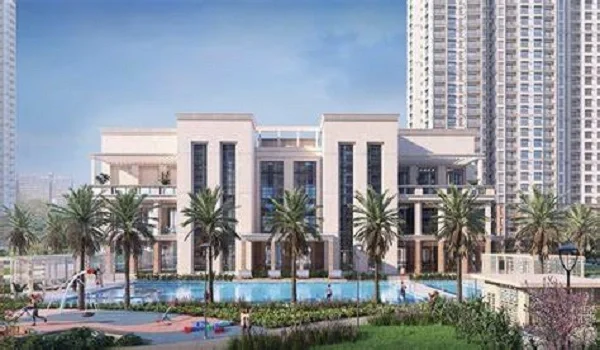
Featured Image of How to Read Prestige Parklane Unit Numbers


Prestige Parklane unit numbers follow a five-digit system set by the RERA floor-wise unit tables. Each digit group encodes the tower, the floor, and the position on that floor. Once the pattern is known, any unit number decodes in seconds. This page explains the system, shows worked examples, and explains what each unit's RERA entry contains.
The Five-Digit Pattern


Every home in the project has a unit number in the format: T FF PP

  • T — the tower number (1 to 9)
  • FF — the floor code (00 for ground, 01 for first, up to 24 for the top floor)
  • PP — the unit position on that floor (01, 02, 03...)

The five digits run together without spaces or hyphens in the RERA table. So Tower 1, ground floor, unit 01 is simply: 10001.

Three Worked Examples


Unit Number Tower Floor Code Position Notes
10001 1 00 (ground) 01 Ground floor, first unit
11905 1 19 (refuge) 05 Refuge floor, fifth position
92407 9 24 (top) 07 Top floor, seventh position

The pattern holds across all nine towers and all floor levels from 00 (ground) to 24 (top).

Floor Code 00 Is the Ground Floor


Floor numbering starts at 00, not 01. The ground floor is floor code 00. The first floor above ground is floor code 01. This matters when reading a unit number: 10101 is Tower 1, first floor, unit 01 — not Tower 1, ground floor, unit 01 (which is 10001). Confusing the two gives the wrong floor when looking up a unit on the RERA portal.

The 19th floor in every tower is a refuge floor. Its floor code is 19, as in the second example above. Refuge floor homes have fewer units per floor and a different layout from a typical floor.

Missing Positions on the Ground Floor


Not every unit position that exists on upper floors also exists on the ground floor. Some positions are skipped. Tower 1 is a good example: a typical floor has 6 homes, but the ground floor has only 5. Unit 10004 does not exist in the RERA table. That position on the ground floor is taken by lobby space, staircase connections to the basements below, or utility rooms.

This pattern holds across most towers. Fewer homes on the ground floor than on typical floors is the normal result when all parking goes underground. The ground level must carry the lobby, the basement connection, and service rooms.
To check the exact unit positions on the ground floor of a specific tower, look up the floor-wise unit table on the K-RERA portal using registration number PRM/KA/RERA/1251/309/PR/150926/008941. No login is needed.

SMALL and LARGE Tags


Some 3 BHK units carry an extra tag in the RERA filing. The 3 BHK + 3T type is split into 3BHK+3T SMALL and 3BHK+3T LARGE. The tag marks the difference in carpet area within the same bedroom and toilet count. The SMALL variant has a smaller carpet area than the LARGE.

The 3 BHK + 2T type does not carry a size tag in the RERA unit table.

The tag is part of the apartment type description, not the unit number itself. A buyer with a 3BHK+3T should check whether their unit is the SMALL or LARGE variant in the RERA table. It affects carpet area, the exclusive common area share, and the UDS.

What the RERA Unit Entry Contains


Four figures are on record for every unit number.

Item What It Shows
Carpet area Net usable floor area in sq m (RERA definition)
Exclusive common area Proportionate share of common areas in sq m
UDS Undivided share of land registered in that unit's name, in sq m
Parking slots One slot for every unit

These four figures are the ones to match against the allotment letter. If the allotment letter shows different numbers from the RERA table for any of these four items, ask for a written clarification before signing the sale agreement.

How to Check a Unit on the K-RERA Portal


Go to rera.karnataka.gov.in and search for the project using registration number PRM/KA/RERA/1251/309/PR/150926/008941. Under the project details, open the floor-wise unit table. Enter the tower number and floor code to see all units on that floor. Each row shows carpet area, exclusive common area, UDS, and parking count for that unit.

This takes about two minutes. No login is required. Any buyer can check their own unit before signing any document. The RERA verification page on the official Prestige Parklane site has step-by-step instructions for first-time users.

Frequently Asked Questions


1. How many digits are in a Prestige Parklane unit number?

Five. The first digit is the tower number, the next two digits are the floor code, and the last two are the unit position on that floor.

2. What is floor code 00?

Floor code 00 is the ground floor. The first floor above ground is floor code 01. The top residential floor is code 24.

3. Why does Tower 1 have only 5 homes on the ground floor when typical floors have 6?

Unit position 10004 does not exist in the RERA table. That space on the ground floor is used for the lobby, staircase to the basements, or utility rooms. This pattern is common across all nine towers.

4. What does the SMALL or LARGE tag mean?

The 3BHK+3T type is split into SMALL and LARGE in the RERA unit table. They reflect different carpet areas. The tag is part of the apartment type description, not the unit number. A buyer should check whether their allotment letter matches the size designation in the RERA table.

5. What four figures does the RERA filing record for each unit?

Carpet area, exclusive common area, UDS (undivided share of land), and the number of parking slots (one per unit).

6. How can a buyer verify their unit details on RERA?

Go to the K-RERA portal and search using registration number PRM/KA/RERA/1251/309/PR/150926/008941. The floor-wise unit table shows all four figures for every unit. No login is needed.

Get Price & Offers
Enquire Now